

Trigger alerts on live data#
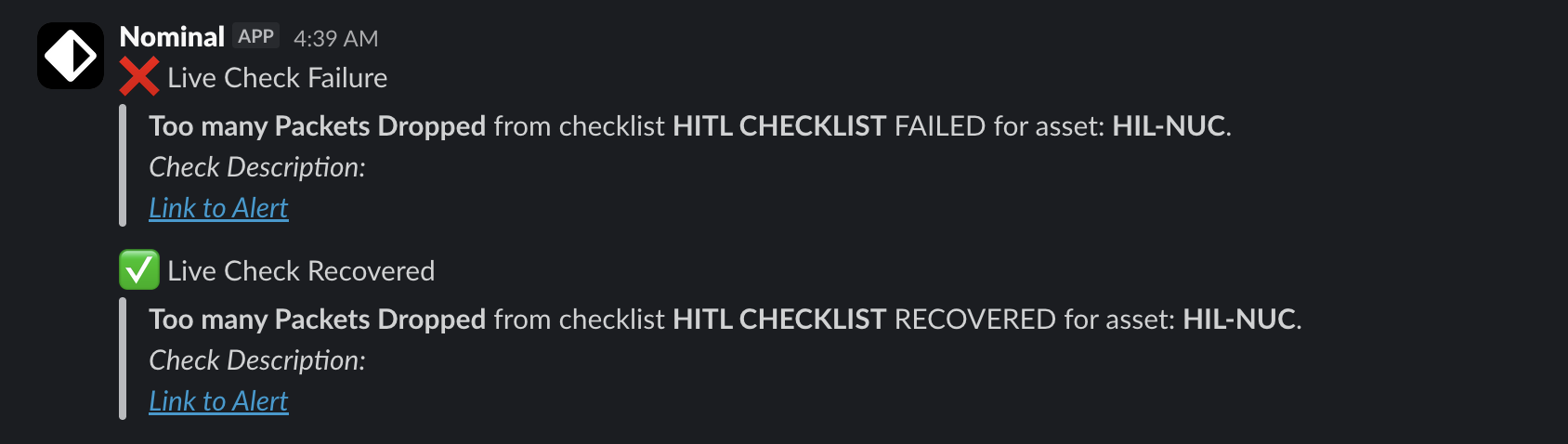
A streaming checklist evaluates a published checklist against an asset’s live data. When a check fails, it can create an event and notify an integration such as Slack.
Connect the client#
This guide assumes you have installed the client and setup your API keys.
from nominal.core import NominalClient

client = NominalClient.from_profile("default")
Stream sample data to an asset#
The checklist runs against an asset, so stream to a dataset on one.
This example sends a value that’s 1 for 4 seconds of every 28:
from datetime import datetime, timedelta, timezone

asset = client.create_asset("Streaming checklist demo")
dataset = asset.get_or_create_dataset("telemetry")

values = [1, 1, 0, 0, 0, 0, 0, 0, 0, 0, 0, 0, 0, 0] * 3
start = datetime.now(timezone.utc) - len(values) * timedelta(seconds=2)
with dataset.get_write_stream() as stream:
    stream.enqueue_batch("pump_on", [start + i * timedelta(seconds=2) for i in range(len(values))], values)
Create the checklist#
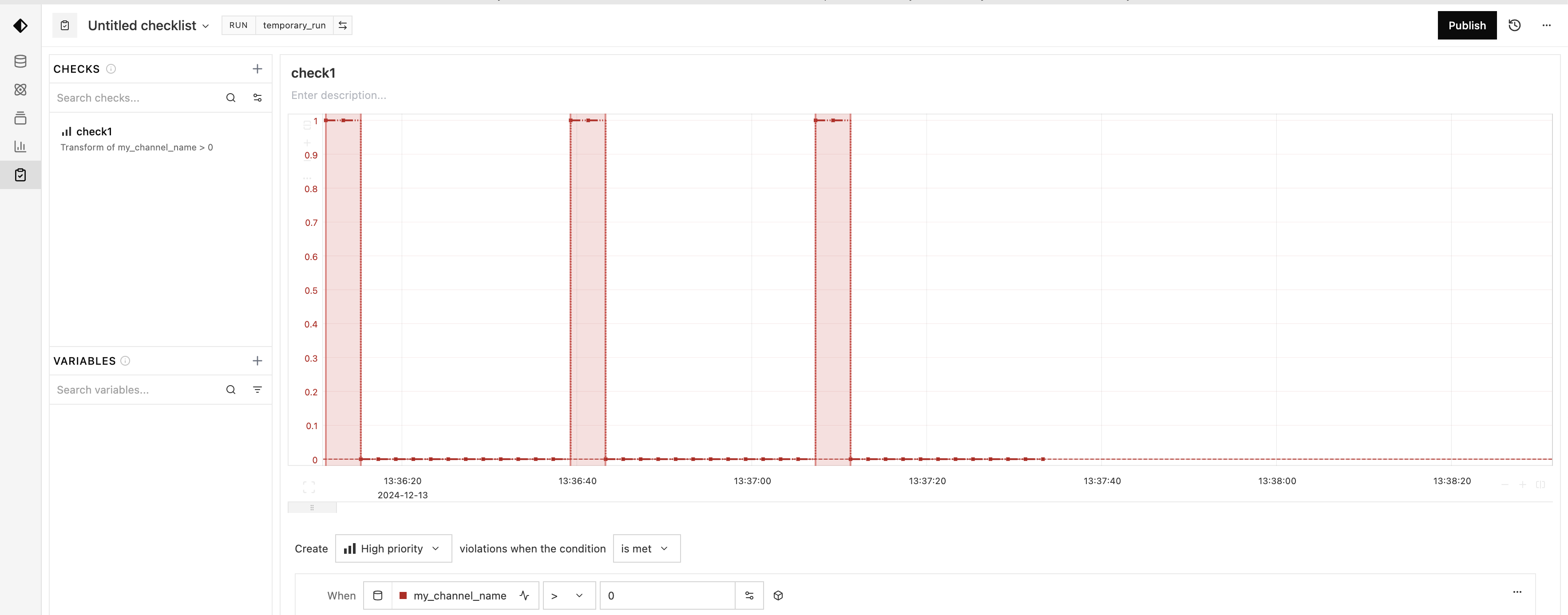
Author and publish the checklist in Python, or in the UI:
Create a run over the sample data, so the UI can preview the check:
run = asset.create_run("Checklist preview", start=start, end=start + timedelta(hours=1))Go to Checklists and click New checklist.
Select the
Checklist previewrun.Add a check that fails when
pump_onis>0. The chart shows where it fails.Click Publish, then copy the checklist’s RID from the arrow (
⌄) next to its name.
Start the checklist#
execute_streaming() starts the checklist on the asset.
Get an integration from the Integrations page, or create one with a method such as create_webhook_integration().
checklist = client.get_checklist("<CHECKLIST_RID>")
checklist.execute_streaming(
    [asset],
    notifications=[client.get_integration("<INTEGRATION_RID>")],
    auto_create_events=True,  # create an event when a check fails, and update it on recovery
)
Returning means the request was accepted, not that evaluation started or a notification arrived.
Pass notifications=[] to evaluate without notifying.
Warning
Calling execute_streaming again replaces all streaming settings for those assets, including notifications.
StreamingNotificationConfig sets per-destination options:
from nominal.core import StreamingNotificationConfig

notification = StreamingNotificationConfig(
    "<INTEGRATION_RID>",
    tags=["test-stand"],
    workbook="<WORKBOOK_RID>",  # link a workbook in the notification
    mute_execution_errors=True,
)
mute_until takes a timezone-aware datetime and silences that destination until then.
integration_rids=[...] is deprecated. Pass the same RIDs as notifications=[...].
Trigger alerts#
Keep streaming, and each 1 fails the check:
import time

with dataset.get_write_stream() as stream:
    for value in values * 100:
        stream.enqueue("pump_on", datetime.now(timezone.utc), value)
        time.sleep(2)
Monitor and change settings#
get_streaming_status() returns each check’s state per asset:
status = checklist.get_streaming_status([asset])[asset.rid]
print(status.state, status.commit_id)
for check in status.checks:
    print(check.check_rid, check.parameter_index, check.state)
A running checklist can have failing, invalid or skipped checks.
A parameterized check has a result per parameter, by parameter_index.
To change one setting, read the current ones with get_streaming_configurations() and pass them back:
config = checklist.get_streaming_configurations()[asset.rid]
checklist.execute_streaming(
    [asset],
    notifications=config.notifications,
    evaluation_delay=timedelta(seconds=5),
    recovery_delay=config.recovery_delay,
    auto_create_events=config.auto_create_events,
)
This isn’t atomic, so coordinate with anyone else changing the asset’s settings.
To stop, use stop_streaming_for_assets(), or stop_streaming() for every asset.
list_streaming_checklists() lists the checklists streaming on an asset.