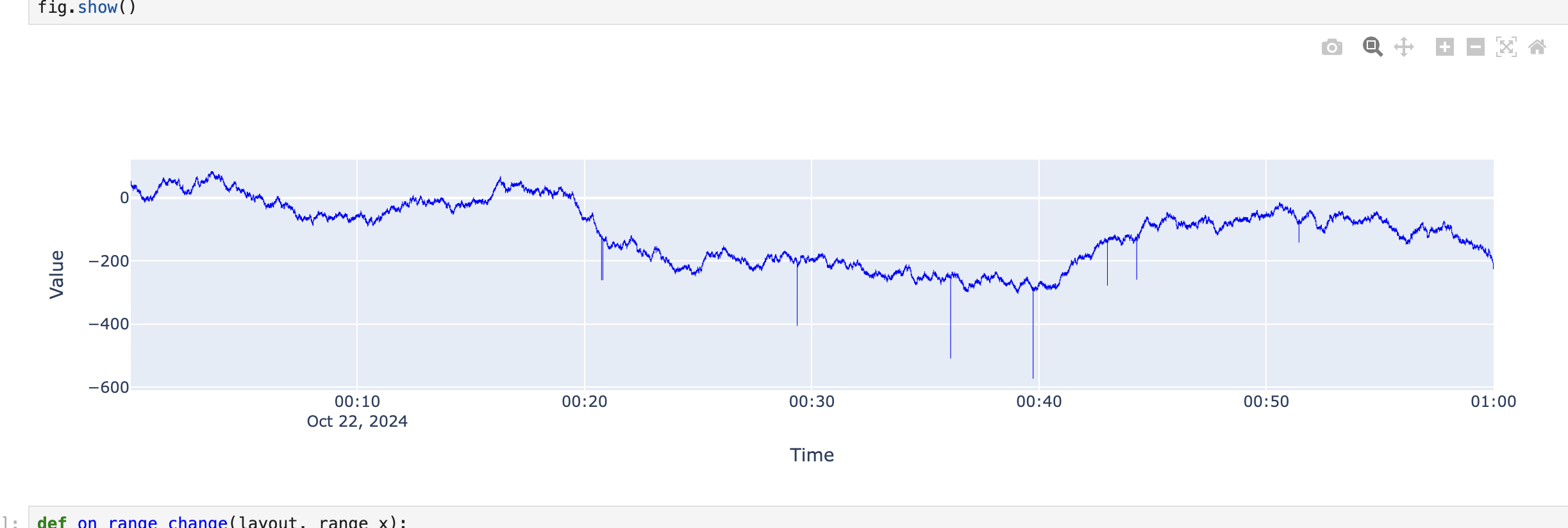
Decimate data#
Decimation reads a fixed number of time buckets, each with the minimum, maximum, mean, count and variance of its points. It charts long, high-rate recordings quickly while keeping spikes visible.
The chart needs pip install plotly, and zooming needs ipywidgets in Jupyter.
Connect the client#
This guide assumes you have installed the client and setup your API keys.
from nominal.core import NominalClient

client = NominalClient.from_profile("default")
Upload sample data#
One hour of a 200 Hz signal is 720,000 points.
This example generates one, with a few spikes, and uploads it with upload_dataframe():
from datetime import datetime, timedelta, timezone

import numpy as np
import pandas as pd

from nominal.thirdparty.pandas import upload_dataframe

start = datetime(2026, 9, 10, 14, 0, tzinfo=timezone.utc)
end = start + timedelta(hours=1)
n = 720_000

value = np.random.normal(0, 0.3, n).cumsum() + 50
value[np.random.choice(n, 10)] *= 2  # spikes that decimation keeps
df = pd.DataFrame({"time": start.timestamp() + np.arange(n) / 200, "value": value})

dataset = upload_dataframe(client, df, "Decimation sample", "time", timestamp_type="epoch_seconds")
channel = dataset.get_channel("value")
Read decimated data#
channel_to_dataframe_decimated() returns one row per bucket:
from nominal.thirdparty.pandas import channel_to_dataframe_decimated

df = channel_to_dataframe_decimated(channel, start, end, buckets=2000)
The columns are min, max, mean, count and variance.
When the range has fewer than 1,000 points, it returns them unchanged, in one value column.
It works for DOUBLE and INT channels.
Chart it and zoom in#
Plotting the bucket minimum and maximum as a band shows the signal’s full range:
import plotly.graph_objects as go


def band(df: pd.DataFrame) -> list[go.Scatter]:
    if "value" in df.columns:  # raw points
        return [go.Scatter(x=df.index, y=df["value"], mode="lines")]
    return [
        go.Scatter(x=df.index, y=df["max"], mode="lines", line_width=0, line_shape="vh"),
        go.Scatter(x=df.index, y=df["min"], mode="lines", line_width=0, line_shape="vh", fill="tonexty"),
    ]


fig = go.FigureWidget(band(df), layout={"showlegend": False})


def on_zoom(layout, x_range):  # fetch 2,000 buckets for the visible range
    zoomed = channel_to_dataframe_decimated(channel, f"{x_range[0]}Z", f"{x_range[1]}Z", buckets=2000)
    with fig.batch_update():
        fig.data = []
        fig.add_traces(band(zoomed))


fig.layout.on_change(on_zoom, "xaxis.range")
fig
Zooming in requests new buckets for the visible range, so detail increases until the chart shows raw points.